

Free skills matrix
Free AI Skills Matrix Software for Teams
Map the skills each role needs, see what your people can do, and close the gaps that matter - without paying per employee. Start on the Free plan with up to 3 job roles.
Free forever for up to 3 job roles. Unlimited employees. No credit card to start.
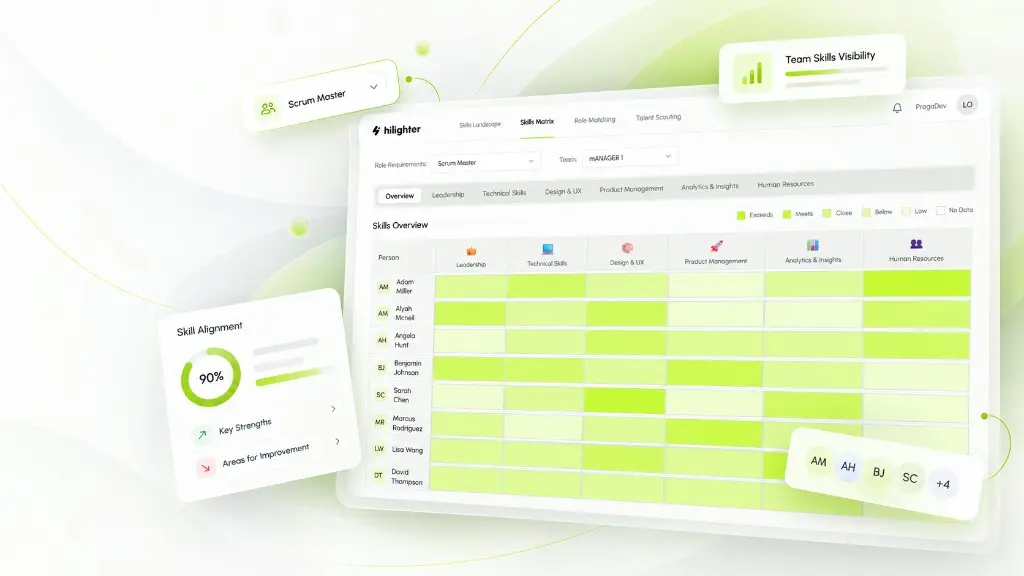
What Is a Skills Matrix?
A skills matrix is a structured view of the competencies your organization needs and the proficiency people hold against them. Rows often represent roles or people; columns represent skills and levels. Used well, it answers a practical question: who can do what today, and where do we need to grow?
It is not a ranking of employees, and it is not a substitute for management judgment. It is a shared reference so hiring, staffing and development decisions rest on clearer information than job titles and memory alone.
Why a Skills Matrix Matters for Small Teams
When skills stay in spreadsheets, CVs and managers’ memories, gaps surface only when a project stalls or a key person leaves. A living matrix makes those risks visible earlier.
Clearer staffing
See which roles and skills you already cover before you open a vacancy or overload the same few people.
Focused development
Target learning on the gaps that block delivery, instead of generic training catalogues.
Shared language
Give managers and employees the same vocabulary for strengths, expected levels and next steps.
How to Build a Skills Matrix with hilighter
hilighter is skills management software. The matrix is part of that workflow, not a separate product. You stay in control of every AI suggestion.
01
Define job roles
Start with the roles that matter most. On the Free plan you can manage up to 3 job roles; several people can share the same role.
02
Identify required skills with AI
Job & Skills Mapping analyzes each role and proposes the skills and proficiency levels it requires. You review and adjust the matrix.
03
Collect employee skills information
Capture skills from learning evidence and day-to-day work so profiles reflect more than a job title.
04
Validate through managers
Manager Assessments let managers review AI-suggested skills and levels against what they see in the work.
05
Visualize gaps
Skills & Talent Insights brings people, skills and role requirements together so strengths and gaps are easier to compare.
06
Guide development
Personalized Growth Paths help people choose skills to develop, find learning resources and prove progress with evidence.
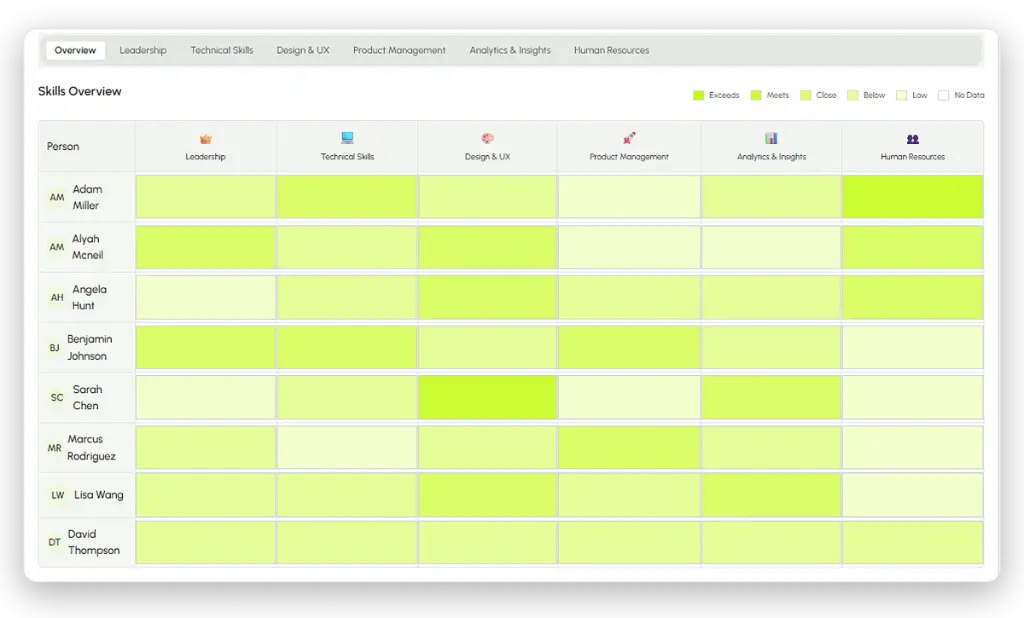
Example: Skills Matrix for a Small Product Team
Imagine a 6-person product team with three roles on the Free plan: Product Manager, Software Engineer and Customer Success. The table below is an illustrative snapshot of required levels (1-5), not a live product export.
Illustrative example with fictional levels. Your matrix depends on the roles and skills you define, and on the quality of the information you record.
| Role | Discovery | Stakeholder mgmt | Backend | Frontend | Customer coaching |
|---|---|---|---|---|---|
| Product Manager | 4 | 5 | 2 | 2 | 3 |
| Software Engineer | 2 | 2 | 5 | 4 | 1 |
| Customer Success | 3 | 4 | 1 | 1 | 5 |
The matrix shows where the team is strong and where a single role carries a critical skill. That view can prompt targeted coaching or a new hire for a specific gap - without treating the numbers as the whole story.
Skills Matrix in Excel vs hilighter
Many teams start in a spreadsheet. That works for a first draft. Limits appear when roles change, people join, and managers need a shared, up-to-date view.
Where hilighter helps
- - AI proposes role skills and levels you can edit, instead of building every matrix cell from scratch.
- - Employee skills can be updated from evidence and manager review, not only from a yearly spreadsheet refresh.
- - Gaps and role comparisons stay in the same environment as development paths.
- - Pricing follows job roles, not headcount, so a larger team on few roles stays on a clear plan.
Where a spreadsheet can still help
- - Excel remains useful for one-off exports, board packs or custom calculations hilighter does not replace.
- - hilighter does not claim to import every legacy spreadsheet format automatically.
- - A matrix is only as good as the input: poor evidence or skipped manager review weakens any tool, including hilighter.
Use Excel when you need a disposable grid. Use hilighter when the matrix should stay connected to roles, people and development.
What the Free Plan Includes
The Free plan is free forever. It is not a time-limited trial.
Up to 3 job roles
A job role has its own skills matrix. Several employees can share the same role.
Unlimited employees
Employee profiles are unlimited on every plan, including Free.
Core features included
Job & Skills Mapping, Skills Evidence & Recognition, Manager Assessments, Skills & Talent Insights, AI Job Impact and Personalized Growth Paths.
Fair-use AI
AI assistance is included. Usage remains subject to fair-use rules; hilighter does not claim unlimited AI volume.
Need more than 3 roles? Move to a paid plan on the Pricing page. Premium business modules are coming soon and are not part of Free.
Related hilighter pages
- Job & Skills MappingHow AI proposes the skills each role requires, and how you validate them.Learn more
- Skills & Talent InsightsExplore skills matrices, compare people with roles and spot overlooked strengths.Learn more
- Skills Gap AnalysisCompare required and current levels, prioritize meaningful gaps and guide development.Learn more
- PricingFree and paid plans by number of job roles, with unlimited employees.Learn more
FAQs
Is hilighter free skills matrix software?
Yes. You can build and manage skills matrices on the Free plan for up to 3 job roles, with unlimited employees and Core features included, subject to fair-use rules.
Is there a limit on job roles in the Free plan?
Yes. The Free plan includes up to 3 job roles. Plans above Free increase the role capacity. Employees remain unlimited on every plan.
How is this different from Job & Skills Mapping?
Job & Skills Mapping is the Core feature that builds role skills matrices with AI. This page explains the end-to-end free skills matrix workflow and Free plan limits for people searching for free skills matrix software.
Can I replace Excel completely?
Many teams reduce day-to-day spreadsheet maintenance. Excel can still be useful for exports or one-off analysis. hilighter does not claim to replace every spreadsheet workflow.
Does AI decide people’s skills automatically?
No. AI suggests skills and levels. Employees and managers review and validate them. Decisions about people stay with people.
Is there a free trial?
No. The Free plan is free forever for up to 3 job roles. You upgrade only when you need more roles.
Build Your Free Skills Matrix Today
Start with up to 3 job roles, unlimited employees and Core features. Map skills, see gaps and guide development in one place.